
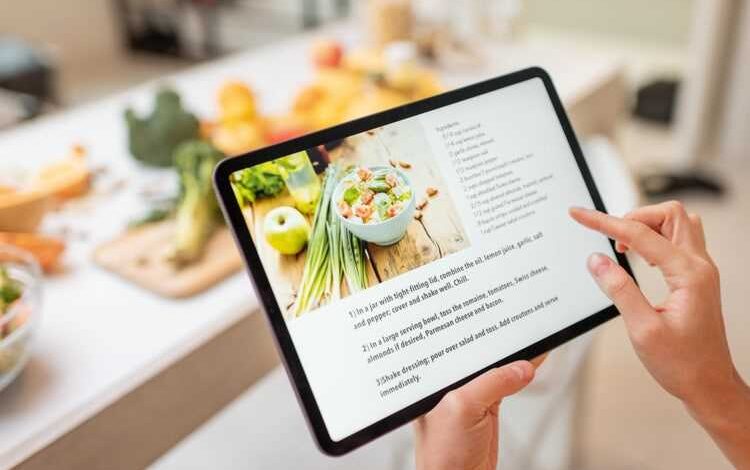
Cooking at home often means collecting recipes from everywhere—old family cookbooks, online food blogs, handwritten cards, or even screenshots saved on your phone. Without a proper system, these recipes can quickly get scattered, and when you need them the most, you may end up searching for hours. That’s why learning how to organize recipes at home or on your devices can save you time, reduce stress, and make your cooking experience more enjoyable. Whether you prefer a binder, computer, or digital app, there’s a method that can work perfectly for you.
To better understand the different ways to arrange your recipe collection, let’s compare the most common methods.
| Method | Best For | Pros | Cons |
| Binder with Printed Recipes | Home cooks who love physical copies | Tangible, customizable, easy to flip | Requires printing, takes space |
| Digital Recipe Apps | Tech-savvy users | Searchable, portable, cloud backup | Needs devices/internet |
| Categorized Computer Folders | Budget-friendly digital organization | Free, flexible, accessible offline | Can get messy without discipline |
| Recipe Cards/Boxes | Traditional and nostalgic cooks | Compact, handwritten, family-style | Limited space, harder to edit |
| Online Platforms (Pinterest, etc) | Inspiration seekers | Visual boards, easy sharing | Dependent on platform availability |
Why Organizing Recipes Matters
Before diving into the how-to part, let’s pause for a second. Imagine preparing for a dinner party where you want to serve three different dishes. Instead of panicking because the dessert recipe is in a random notebook and the pasta recipe is in your phone gallery, everything is neatly filed. That’s what organizing does—it eliminates unnecessary chaos and makes cooking seamless.
How to Organize Recipes Digitally
If you’re always on your phone or laptop, then how to organize recipes digitally might be the easiest choice. There are several recipe apps such as Paprika, Evernote, or even free Google Docs and Sheets. You can copy-paste your recipes, add tags like “Desserts,” “Soups,” or “Holiday Specials,” and have them accessible in seconds.
Digital organizing also allows you to:
- Attach photos of the final dish.
- Store links to original sources.
- Sync across devices, so whether you’re in the kitchen or grocery shopping, your recipes are right there.
How to Organize Recipes by Category
One of the most effective systems is by category. Just like a professional cookbook, you separate your recipes into logical groups. For instance:
- Breakfast
- Lunch
- Dinner
- Appetizers
- Desserts
- Drinks
- Holiday Specials
When you learn how to organize recipes by category, you create a roadmap that helps you quickly locate the type of meal you want to prepare. This method works equally well for binders, digital files, or even recipe cards.
How to Organize Recipes Electronically
Some people confuse “digital” with “electronic,” but there’s a subtle difference. How to organize recipes electronically can include saving them in Word documents, Excel sheets, or PDF files on your desktop or USB drive. Unlike fancy apps, this method doesn’t require internet access and works offline.
Tips for electronic organizing:
- Create folders like Soups, Salads, Desserts, and save recipes accordingly.
- Use clear file names (e.g., “Chocolate_Cake_Grandma.pdf”).
- Back them up to an external hard drive or free cloud service to avoid losing them.
How to Organize Recipes in a Binder
Many home cooks still love the tactile experience of flipping through pages. If that’s you, then learning how to organize recipes in a binder might be the perfect fit.
Steps for binder organization:
- Use a sturdy 3-ring binder.
- Get plastic sheet protectors to keep spills away.
- Print recipes or cut them out from magazines.
- Separate sections with labeled dividers—Appetizers, Mains, Desserts, etc.
- Add handwritten notes for personal tweaks.
This method feels traditional yet highly functional, especially for family heirloom recipes.
How to Organize Recipes on Computer for Free
If you don’t want to spend money on paid apps, you can still master how to organize recipes on computer for free. Simply create folders and subfolders within your computer. For example:
- Recipes
- Breakfast
- Soups
- Desserts
- Vegetarian
- Holiday
You can also use free tools like Google Drive or OneNote to sort recipes. The advantage? They’re accessible from anywhere, cost nothing, and give you full control.
Mixing Methods for Flexibility
Sometimes, one system isn’t enough. You might want a binder for your handwritten family recipes and a digital app for new ones you find online. Don’t be afraid to mix systems—it’s all about what feels natural and sustainable for your cooking style.
Tips for Maintaining Recipe Organization
Organizing is one thing, maintaining it is another. Here’s how you can keep your collection tidy:
- Dedicate 10 minutes every month to sort through new recipes.
- Delete or toss duplicates.
- Regularly back up digital files.
- Update categories as your cooking interests evolve.
Final Thoughts
Learning how to organize recipes at home or on your devices is about finding a balance between convenience and personal preference. Whether you love flipping through a binder filled with family recipes or prefer the sleek efficiency of digital apps, the key is consistency. By choosing a system that matches your lifestyle—whether it’s how to organize recipes digitally, how to organize recipes by category, or how to organize recipes in a binder—you’ll always have your favorite dishes at your fingertips.
Frequently Asked Questions (FAQ)
Q1: What is the best way to organize recipes at home?
A: The best way depends on your style. If you love paper, a binder works great. If you prefer digital, apps or computer folders may be ideal.
Q2: How to organize recipes digitally for easy access?
A: Use apps like Paprika or free tools like Google Docs. Add tags and categories so you can search quickly.
Q3: Can I organize recipes by category without an app?
A: Yes, absolutely! Whether using binders, recipe cards, or computer folders, simply create categories such as “Desserts” or “Soups.”
Q4: What’s the difference between organizing recipes electronically and digitally?
A: Digital often refers to online/cloud apps, while electronic can mean offline methods like Word files, PDFs, or Excel sheets.
Q5: How to organize recipes in a binder without it getting messy?
A: Use sheet protectors, dividers, and label each section clearly. Regularly update and remove recipes you don’t use.
Q6: Is there a free way to organize recipes on my computer?
A: Yes, you can use simple folders, Google Drive, or OneNote. These allow free, accessible recipe management without extra cost.
Q7: How often should I update my recipe collection?
A: Ideally, once a month. Remove unused recipes, back up files, and ensure categories remain relevant to your cooking habits.